
There are only a handful of ways to run OpenClaw for free around the clock: Oracle Cloud’s Always Free tier (powerful but demanding), a managed free plan like Webhost365’s free OpenClaw hosting, and a short list of credit-based platforms that are trials wearing free-tier costumes. This guide compares every real option — including the catches nobody advertises.
The fastest-growing open-source project in GitHub’s history costs nothing to download. Running it around the clock is a different story, and it’s the part most guides quietly skip. If you’ve been searching for how to host OpenClaw for free, you’ve probably noticed the pattern: half the answers assume you’ll leave a laptop running forever, and the other half end with a paid plan by paragraph three.
This guide takes the question seriously. Below, we walk through every legitimate way to run OpenClaw (formerly Clawdbot, then briefly Moltbot) at genuinely zero cost: Oracle’s famous Always Free tier, hardware you already own, the wave of trial-credit platforms, and managed free tiers, including the one we built at Webhost365. For each option, you’ll get the honest trade-offs — what “free” costs you in time, risk, and effort — so you can pick the path that fits how you actually plan to use your agent.
What OpenClaw Is, in 60 Seconds
OpenClaw is an open-source personal AI agent released under the MIT license and maintained by the non-profit OpenClaw Foundation. It began as a weekend project by developer Peter Steinberger and became one of the most-starred repositories on GitHub within months of launch.
The architecture is simple to picture. A small server process called the Gateway runs on your machine and connects three things: an AI model (Claude, GPT, or local models through Ollama), the chat apps you already use (WhatsApp, Telegram, Discord, Slack, and many more), and a library of skills that let the agent actually do things: read and write files, run commands, browse the web, and act on schedules. You message it like a person; it works like an assistant with hands. The official documentation covers the full capability list, but that one paragraph is enough to follow everything below.
“Free” Has Three Parts
Before comparing hosting options, it helps to see how the bill actually splits, because “free” can mean three different things here.
The first part is the software. OpenClaw itself is genuinely free: the source code is public, the license is MIT, and there is no paid edition hiding behind the download. Nobody should ever charge you for OpenClaw the program.
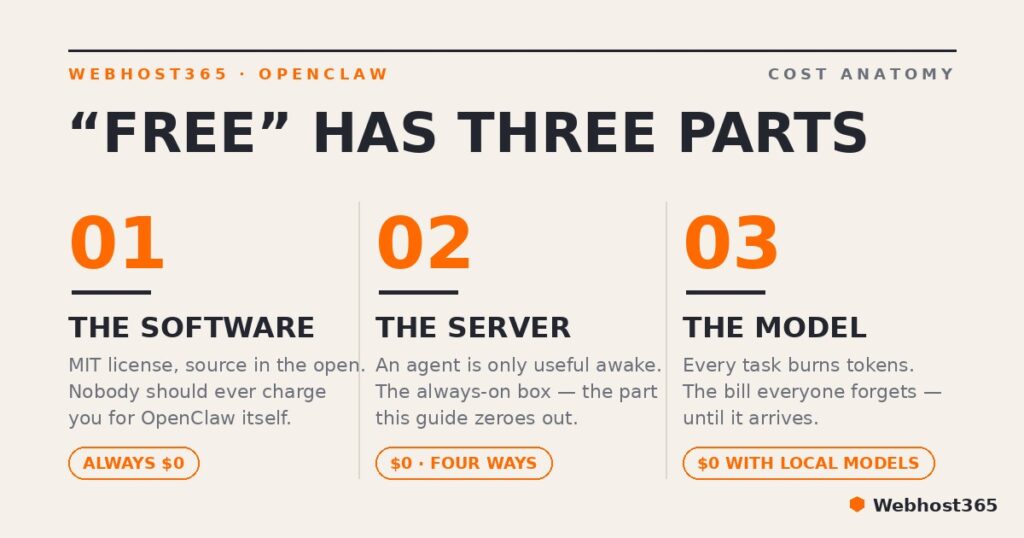
The second part is the computer it runs on. An agent is only useful when it’s awake, so it needs a machine that stays online around the clock. That machine is what this article is about.
The third part is the one most “free hosting” pitches forget: the model. Every task your agent performs burns tokens through an AI provider. Since April 2026, Anthropic no longer allows consumer Claude subscriptions to power third-party agent frameworks, OpenClaw included, so the flat-fee shortcut is gone. In practice, you either bring an API key billed per token, route tasks to cheaper models, or run a local model yourself.
Consequently, an honest answer to how to host OpenClaw for free has to cover more than the server. This guide zeroes out the second cost first, then shows you how to shrink the third near the end.
Why Not Just Run It on Your Laptop?
Because the whole point of OpenClaw is that it works while you don’t. An agent earns its keep through the things it does unprompted: watching an inbox, sending a morning digest, nudging you before a deadline, running scheduled jobs at 3 a.m. All of that stops the moment your laptop closes, and a machine that travels in a backpack was never going to deliver always-on.
There’s a second, less obvious reason. OpenClaw is useful precisely because it has hands: it reads and writes files, executes commands, and drives a browser. Hands like that belong on a machine you can treat as disposable, not on the laptop that holds your tax records, saved logins, and photo library. Give the agent its own small, isolated box and a bad day (a misbehaving skill, an instruction that goes sideways) stays contained. Give it your daily driver, and its blast radius becomes your entire digital life.
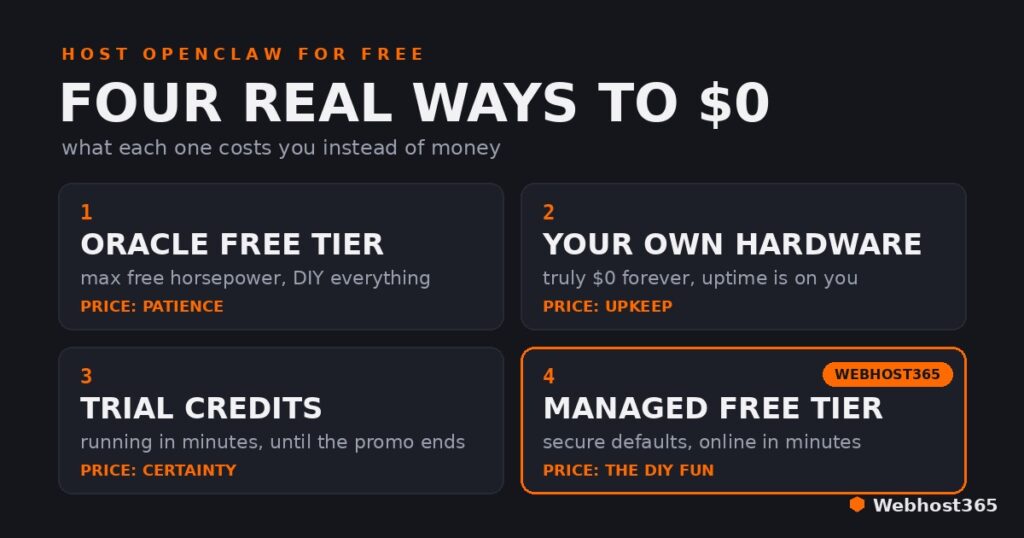
So the real question isn’t whether OpenClaw deserves a dedicated machine. It’s who will give you that machine for nothing. There are four honest answers.
Option 1: Oracle Cloud’s Always Free Tier
Oracle offers the most generous free allocation in mainstream cloud, and it’s the most powerful way to host OpenClaw for free: up to four Arm-based cores, 24 GB of RAM, and 200 GB of storage, with no expiry date. That’s enough to run OpenClaw with room left over for a small local model. If raw specs were the only criterion, this section would end here.
They aren’t. The free tier’s price is paid in effort. Signup requires card verification, and popular regions are chronically short on free Arm capacity, so provisioning an instance can take days of patient retries. The Arm architecture occasionally trips over software built only for x86. Most importantly, you are the entire operations team: firewall rules, system updates, hardening, and backups are yours from minute one, and nobody at Oracle checks whether your agent’s gateway is safely tucked away or wide open to the internet.
If you go this route, the shape of the job looks like this:
- Create the account (a card is needed for verification, not billing).
- Provision an Ubuntu Arm instance, and be persistent about capacity errors.
- Run the OpenClaw installer, a single command that brings its own Node.js runtime.
- Lock the server down before connecting anything: enable the firewall and keep the gateway bound to localhost, never to a public interface.
- Connect your first channel. Telegram is the gentlest starting point.
Those five steps are the orientation, not the destination; a production-grade hardened install is a guide of its own. Oracle’s tier is the right call for patient tinkerers who enjoy server administration and want maximum free horsepower.
Option 2: Hardware You Already Own
The oldest trick in self-hosting still works: the retired laptop in a drawer, a secondhand mini PC, a Raspberry Pi-class board. This is the only option where the monthly cost is genuinely zero forever, because you already own the machine and a small computer sips only a few watts of electricity. It’s also the best classroom, since everything about the setup is yours to inspect and break.
The trade-offs are structural. Your uptime is now your power grid and your home internet connection, and residential networks add friction that servers don’t have, from NAT quirks to ISPs that frown on always-on services. Furthermore, the agent now lives inside your home network alongside your NAS, printer, and family devices, so isolation is your job: at minimum a dedicated user account and strict firewall, ideally its own network segment. Choose this path if tinkering is the point and a few hours of downtime is an inconvenience rather than a problem.
Option 3: Trial Credits and “Free While in Beta” Platforms
OpenClaw’s popularity spawned a wave of startups offering one-click hosting with a free tier, bundled AI credits, or free-while-in-beta pricing. Credit where it’s due: the onboarding is often genuinely impressive, and going from signup to a working agent in a few minutes is a real achievement.
The caveat is structural. A promotion is a marketing budget, not a business model. Credits run out, betas end, and pricing pages appear where none existed, and at least one prominent platform in this space withdrew its bundled free credits within months of launching. Meanwhile, your agent is quietly accumulating the very thing that makes it valuable: memory, configuration, and connected channels. The more useful it becomes, the more the exit path matters.
So before building on any of these, get clear answers to five questions:
- Can you export the agent’s full state, memory and configuration included, in one step?
- What does the plan actually cost once the promotional period ends?
- Who holds your model API keys, and are they scoped to the minimum needed?
- Does the platform publish anything concrete about its security practices?
- What happens when credits hit zero mid-task: pause, degrade, or surprise bill?
Good answers make these platforms a fine weekend test drive. Silence on any of them is your answer too. Treat this option as a way to try OpenClaw, not as the place your agent lives long-term.
Option 4: A Managed Free Tier (What We Built)
Full disclosure: this option is ours, so judge the next few paragraphs accordingly. We’ll tell you exactly where it beats the DIY routes, and where DIY wins.
We built free OpenClaw hosting at Webhost365 after watching the same story repeat: people get the agent running, skip the hardening, and end up with a gateway reachable from the open internet. Managed hosting exists to make that failure mode unreachable. Every free instance runs isolated from every other tenant with enforced resource quotas, the gateway is never exposed publicly, and updates and hardening are our job rather than your weekend. The security work that Oracle’s free tier hands to you on day one is already done before you log in.
An honest free tier has honest limits: it’s sized for one person and a modest workload, not for a team or heavy browser automation. The difference from trial platforms is what happens next. When you outgrow it, you move up the same ladder our paid customers use, from Atlas to Helios to Titan, without migrating your agent anywhere. For most people, this is simply the fastest way to host OpenClaw for free: claim it on the free OpenClaw hosting page, or compare the paid tiers on the OpenClaw hosting page if you already know you’ll need more headroom.
If you want root access and the learning curve, Oracle or your own hardware will teach you more. If you want the agent working in minutes with the security decisions made correctly by default, this is the shortest path.
Making the Model Free Too
Zeroing out the server bill solves half the equation. The other half is tokens: every message your agent handles is billed by an AI provider, unless you change where the thinking happens.
The cleanest way to change it is running a model locally with Ollama, which ships an official OpenClaw integration that can install, configure, and launch the whole stack from a single command. Local inference means no per-token bill and no conversation data leaving your server. The catch is appetite: agent work needs models that handle tool calls and long context well (the integration docs recommend a context window of at least 64K tokens for local models), and small models in that class want several gigabytes of RAM. Oracle’s free 24 GB fits them comfortably; a 1 GB box does not. If you want to go deeper here, we’ve covered choosing a VPS for Ollama and a full self-hosted ChatGPT-style setup separately.
Hosted free tiers are the middle path: Ollama’s cloud service and several model providers offer free allowances that suit a light personal agent, with rate limits that make themselves known as usage grows.
In practice, the setup that holds up best is hybrid. Let a local or free-tier model handle the routine glue work, such as digests, reminders, and summaries, and reserve a paid API key for tasks that need serious reasoning. OpenClaw can route between providers per task, so the expensive model only runs when it earns its cost. For the underlying numbers, see our breakdown of API pricing against self-hosting.
The Honest Comparison
All four routes get you to $0 a month, so the table compares what each one charges you instead. Oracle charges patience and responsibility, your own hardware charges maintenance, trial platforms charge uncertainty, and a managed free tier charges you the fun of building it yourself. Here is how we’d put the four honest ways to host OpenClaw for free side by side.
| Option | Setup effort | True 24/7 | Who secures it | Model cost | Best for |
|---|---|---|---|---|---|
| Oracle Always Free | Hours to days: signup checks plus a capacity lottery for free Arm instances | Yes, once provisioned | You, entirely | Your API key, or a local model in the free 24 GB of RAM | Patient tinkerers who want maximum free horsepower |
| Hardware you already own | An afternoon, then ongoing care | Only as reliable as home power and internet | You, including home-network isolation | Your API key; local models only if the machine has the RAM | Learning, tinkering, and total control |
| Trial and credit platforms | Minutes | Yes, while the promotion lasts | The platform; practices vary widely | Bundled credits until they run out, then your key | A weekend test drive before committing |
| Webhost365 free tier | Minutes | Yes | Webhost365: isolated instances, hardened defaults, managed updates | Your API key | The fastest safe start, with an upgrade path that keeps your agent in place |
Whatever You Pick: Three Security Non-Negotiables
OpenClaw’s biggest real-world problem in its first year was not the software but how people deployed it. Researchers at Bitsight counted more than 30,000 instances reachable from the open internet in a single two-week scan in early 2026, and most traced back to one mistake: a gateway bound to every network interface instead of localhost. So rule one is absolute. The gateway never faces the public internet. You reach your agent through the channels it connects to, or over a private tunnel, and nothing else gets to knock.
Rule two: treat community skills as untrusted code, because that is what they are. ClawHub is wonderful and wild in equal measure; independent audits have flagged over a thousand malicious skills, and Snyk found detectable prompt-injection attempts in more than a third of the packages it examined. Install few, read what you install, and prefer skills with real usage behind them.
Rule three: scope everything. Give the agent its own non-root user, and give it API keys that unlock only what the task needs. An agent can only leak what it holds, so hold less.
Those three rules prevent the incidents that actually happen; a full hardening walkthrough deserves its own guide. And if reading this section felt like discovering a second job, that is the honest case for managed hosting: making these defaults unbreakable is our day job, not your weekend.
Final Thoughts
Choosing how to host OpenClaw for free comes down to what you want to spend instead of money. If the answer is time and curiosity, Oracle’s Always Free tier hands you the most machine anyone gives away. If the answer is tinkering, the laptop in your drawer is a fine home for a learning project. Trial platforms make a good weekend, not a good address. And if the answer is nothing at all, not money, not weekends, not security anxiety, the free tier we built puts your agent online in minutes with the dangerous defaults already fixed, and a ladder waiting when it earns a bigger box.
Whichever route you take: keep the gateway private, vet your skills, and let the agent earn trust slowly. Free is a place to start, and a good agent quickly becomes something worth hosting well.
Once you’ve picked a route, three follow-ups finish the job. If you’re going the DIY way, our secure OpenClaw VPS install guide walks through hardening the server before the agent ever starts. If you’re not sure what to order, the OpenClaw requirements guide shows how much CPU, RAM, and storage you actually need. And before you commit to anything paid, it’s worth knowing what OpenClaw really costs to run month to month — the hosting is the small half of that bill. When one server starts doing two jobs, you can also pair OpenClaw with n8n on the same box.
FAQs
Yes. The software is open source under the MIT license, and there is no paid edition behind it; nobody should ever charge you for OpenClaw itself. What costs money sits around it: a machine that stays online around the clock, and the AI model tokens the agent consumes. Both of those can be brought to zero, which is exactly what this guide covers.
It depends on the route. You can host OpenClaw for free indefinitely on Oracle’s Always Free tier or on hardware you already own, since neither has an expiry date. Trial credits and beta promotions are designed to run out. The Webhost365 free tier is a standing free plan rather than a time-boxed trial; you upgrade only if your agent outgrows it.
You need a model, but not a subscription. Since April 2026, consumer Claude subscriptions can no longer power third-party agents, so the paid path is an API key billed per token. The free paths are a provider’s free API tier for light usage, or a local model served through Ollama with no per-token cost at all. Many people run a hybrid: local models for routine tasks, a paid key only for hard reasoning.
Comfortably. It is the most generous free allocation in mainstream cloud, and its 24 GB of RAM runs OpenClaw with room left for a small local model, which is more than most paid entry plans offer. The price is effort rather than money: hunting for free capacity, occasional Arm architecture quirks, and full responsibility for security and updates.
Price is not the risk factor; configuration is. The exposed instances that made headlines came from gateways bound to public interfaces, missing firewalls, and unvetted skills, and those mistakes are available on every tier, free or premium. Follow the three non-negotiables above and a free server is as safe as any other. A managed instance simply ships with those defaults already locked in.
Yes, one project renamed twice in January 2026: Clawdbot became Moltbot after a trademark complaint, then OpenClaw days later. Older tutorials that mention Clawdbot mostly still apply conceptually, but commands and paths have evolved quickly, so always cross-check against the current official documentation.