
An online store is the most demanding thing most people will ever put on a web server. It takes money, so it has to be secure. It holds customer data, so it carries real responsibility. And it makes its money in concentrated bursts — a sale, a campaign, a holiday rush — so an hour of downtime at the wrong moment is revenue you never get back, plus customers who may not return. Ordinary hosting that is perfectly fine for a blog is simply not enough for a shop, and the gap between the two is made of specific features.
This guide is the checklist of what e-commerce hosting actually needs to have. Not a vague “choose a good host,” but the concrete features that matter for a store — what each one does, why it matters, and how to tell when you have outgrown one tier and need the next. The goal is to let you read a hosting plan’s feature list and know exactly which lines are the ones that will keep your store fast, secure, and online when it counts.
Security and PCI Compliance Come First
For a store, security is not one feature among many — it is the foundation everything else sits on, because you are handling people’s payment details. The framework that governs this is PCI DSS, the Payment Card Industry Data Security Standard, and every business that accepts card payments is required to comply with it. So the first question to ask any host is how they support your PCI compliance.
What PCI compliance means has tightened recently, and it is worth knowing the current shape of it. The standard is now on version 4.0, and it raises the bar in ways that touch your hosting directly. Multi-factor authentication is required for all access to the environment where card data lives, not just remote logins. Vulnerability scans must now be authenticated rather than surface-level. And there is a significant new requirement to monitor and manage the client-side scripts running on your payment pages, aimed at stopping the payment-page skimming attacks that have become common. A host that provides a Web Application Firewall makes meeting that last requirement considerably easier, which is why a WAF has moved from “nice to have” toward “expected” for serious store hosting. The official details live with the PCI Security Standards Council, which is the authority worth consulting as your store grows.
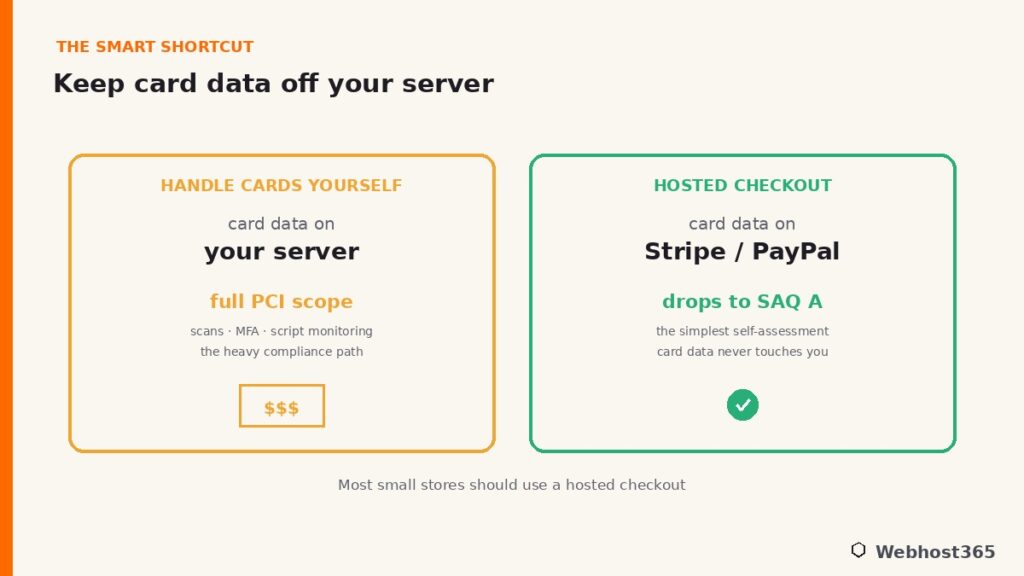
Here is the part that genuinely reduces your burden, and that most guides never mention: you can shrink your compliance scope dramatically by never touching card data in the first place. If you use a hosted checkout — Stripe, PayPal, or a similar provider that handles the actual card entry on their own secure pages — the sensitive payment data never lands on your server at all. For most small and mid-sized stores, that qualifies you for the simplest self-assessment questionnaire, SAQ A, and takes the heaviest part of PCI compliance off your plate entirely. It is the single smartest architectural decision a smaller merchant can make.
One honest point to keep the picture straight: your host secures the infrastructure — the servers, the network, the data center — but compliance is shared. You remain responsible for your application’s security, your access controls, and completing your own self-assessment. Good hosting makes compliance achievable and provides the secure foundation, working alongside the broader server security practices you put in place, but it does not make you compliant by itself. Treat any host that claims otherwise with caution.
Rock-Solid Uptime: Downtime Is Lost Sales
For a content site, an hour of downtime is an inconvenience. For a store, it is a closed shop with the lights off during business hours — every minute offline is an order that does not happen and a customer who may simply buy elsewhere and never come back. Uptime is not a technical nicety for e-commerce; it is directly tied to revenue.
So look for a host that commits to strong uptime, with 99.9 percent or better being the sensible bar, backed by the redundancy and monitoring that make that number real rather than aspirational. There is a second benefit that compounds the first: uptime is also a search-ranking input. If your store is down when search engines come to crawl it, those pages cannot be read or indexed, and a pattern of downtime erodes the trust that keeps you visible — a connection we cover in our guide on optimizing your hosting for SEO. A reliable store stays both open for customers and visible in search, and an unreliable one loses on both fronts at once.
Room to Scale: Survive Your Best Day
If there is one trait that defines e-commerce hosting and separates it from ordinary hosting, it is the ability to handle a spike. Stores do not get traffic in a smooth, predictable line. They get it in waves — a successful email campaign, a product that catches fire on social media, and above all the holiday rush, when a single day can bring ten times your normal traffic in a few hours.
This is exactly the moment a store cannot afford to fail, and it is exactly the moment underpowered hosting does. A shared plan with fixed, modest resources will hit its ceiling under that kind of surge and start slowing or returning errors — at the precise moment you are making the most money you will make all year. The painful irony is that the busier you get, the more likely you are to crash, unless your hosting can scale to meet the demand. The answer is hosting with headroom and a clear upgrade path: dedicated resources you can increase, or a plan you can resize as the wave builds. To work out the actual resources your store needs at a given level of traffic, our hosting requirements by traffic guide and our RAM calculator give you concrete numbers — this guide is about the features, and those tools handle the sizing.
Dedicated Resources for a Consistent Checkout
There is a specific technical reason stores benefit from dedicated resources more than almost any other kind of site, and it comes down to how a store actually works. Most of a store’s pages — the homepage, category listings, individual product pages — can be cached and served quickly to everyone. But the pages that matter most for revenue cannot. A cart, a logged-in account page, and above all the checkout are unique to each shopper, so they cannot be served from a cache. Every one of those requests runs the full application and hits the database directly.
That is where shared hosting can quietly cost you sales. On a shared server, many accounts compete for the same resources. When one of those accounts experiences a traffic spike, it can slow down your website — potentially at the exact moment a customer is entering their card details and waiting for the page to respond. Dedicated resources remove that risk. With a VPS that gives you dedicated CPU and memory that belong to you alone, your checkout performs consistently no matter what anyone else on the hardware is doing. For a store, that predictability where it counts most is worth more than a slightly lower monthly price, because a checkout that stalls is an abandoned cart.
Speed: Fast Storage, Caching, and a CDN
Speed is not vanity for a store; it is conversions. Shoppers abandon slow pages, and every additional second of load time measurably reduces the number of visitors who complete a purchase. Fast hosting is, quite directly, a feature that makes you money, and three things in your hosting deliver it.
The first is fast storage. Modern NVMe drives read and write far quicker than the older disks still found on budget plans, which speeds up every database query your store makes — and a store makes a lot of them, on every product lookup, cart update, and order. Our explainer on NVMe SSD storage covers why it has become the baseline for serious hosting. The second is caching, and a store needs it on two levels. Full-page caching serves your cacheable pages — the homepage, category and product pages — to visitors instantly without rebuilding them, while object caching with a tool like Redis speeds up the dynamic parts a page cache cannot touch, the carts and accounts and checkout that always run live.
Our guide to Redis object caching covers that dynamic side, which matters more for stores than for almost any other site. The third is a CDN, which serves your images and static files from locations close to each shopper, cutting load times worldwide and taking work off your origin server. A store with fast storage, caching on both levels, and a CDN in front feels instant, and instant sells.
SSL, DDoS Protection, and a Web Application Firewall
Around the money sits a protective layer, and for a store none of it is optional. An SSL certificate is the baseline. It encrypts connections, helps protect payment data, and gives customers confidence when they see the padlock icon before entering their card details. Any hosting plan designed for online stores should include free SSL, so instead of paying extra for it, simply verify that it is included.
DDoS protection matters because stores are targets. A denial-of-service attack that floods your server with junk traffic can take you offline as effectively as any spike, and unlike a sales rush, this one is malicious and timed to hurt. Hosting that absorbs and filters that traffic keeps you trading through it. And a Web Application Firewall sits in front of your store inspecting incoming requests, blocking malicious ones — SQL injection attempts, bots probing for weaknesses, card skimmers — before they reach your application. As noted earlier, a WAF also helps satisfy the payment-page script-monitoring requirement in current PCI rules, so it does double duty: protecting your store and easing your compliance at the same time.
Automated Backups: Your Safety Net
A store’s data is alive in a way a brochure site’s never is. Orders arrive, inventory changes, customer accounts update, prices shift — the database is different at the end of every hour than it was at the start. That makes backups not a precaution but a necessity, because losing even a day of that data means lost orders you cannot fulfill and records you cannot reconstruct.
Look for frequent, automated backups that run without you remembering to trigger them, paired with a restore process that is genuinely easy to use, since a backup you cannot quickly restore is little comfort during an emergency. The ability to take a snapshot before applying an update or a new plugin is worth a great deal too, giving you a clean point to roll back to if something breaks your store. One honest caveat applies here as everywhere: a backup you have never tested is only a hope, so confirm your restores actually work before you need them. Our website backup strategies guide covers doing this properly, and for a store the discipline it describes is not optional.
Matching Hosting to Your Store’s Stage
You do not need every feature at maximum on day one — you need the right ones for where your store is now, with a clear path to grow. Here is how the checklist maps to the three stages most stores pass through.
| Store stage | Prioritize | Where it lands |
|---|---|---|
| New / small store | Free SSL, caching, a CDN, PCI-friendly hosted checkout | Quality WooCommerce shared hosting |
| Growing / steady orders | More resources, headroom for spikes, object caching | A higher shared tier or entry VPS |
| High-volume / mission-critical | Dedicated resources, Redis, room to scale, WAF | A VPS with dedicated KVM resources |
For a new store, choose high-quality WordPress and WooCommerce hosting that includes free SSL, server-level caching, and a CDN. Then use a hosted checkout solution to minimize your PCI compliance scope and simplify payment security. As orders become steady and traffic grows, you want more resources and genuine headroom for the spikes, which means stepping up a tier. And a high-volume or mission-critical store — one where downtime is seriously expensive — belongs on a VPS with dedicated resources, an object cache, and the ability to scale, so nothing you do not control can slow your checkout. When the time comes to make that jump, our guide on migrating from shared hosting to a VPS shows how to do it without downtime, which for a live store matters enormously.
Conclusion: Build Your Store on the Right Foundation
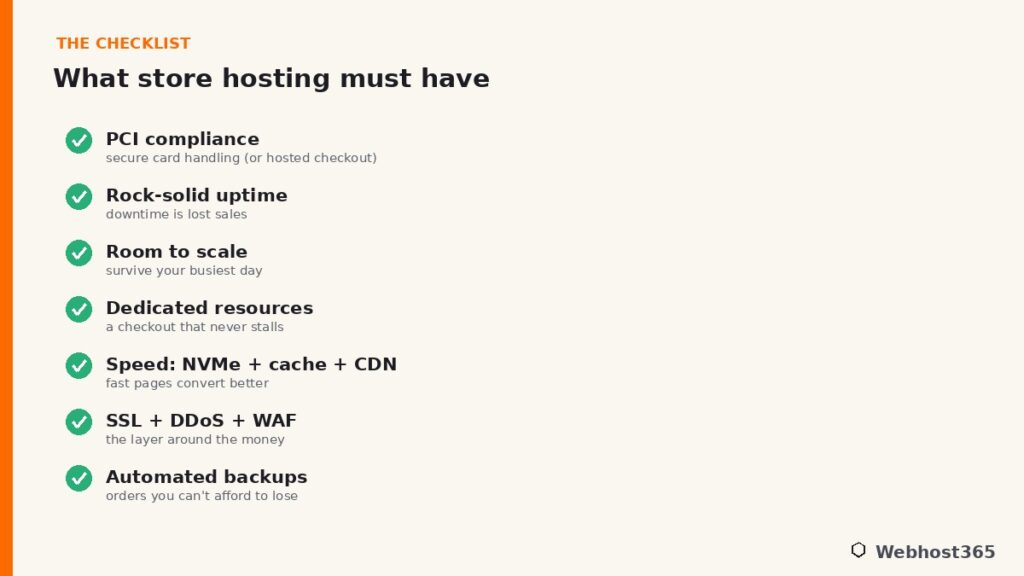
Choosing e-commerce hosting is not about finding the cheapest plan or the one with the biggest numbers. It is about the features that keep a store secure, fast, and open: real PCI support, dependable uptime, the ability to scale through your busiest day, dedicated resources for a checkout that never stalls, genuine speed, the protective layer of SSL and DDoS filtering and a firewall, and backups you can actually restore. Read any hosting plan against that checklist and you will know in a minute whether it can carry a shop or just a website.
The good news is that the right foundation does not have to be expensive. Every Webhost365 WordPress plan ships the store essentials by default — free SSL, LiteSpeed caching, Bunny CDN across 119 locations, NVMe storage, and free automated backups — starting at $2.49 a month for a new store, $4.95 for a growing one, and $7.95 for a busier shop wanting more headroom. When your store outgrows shared resources, a Linux VPS from $19.99 gives you dedicated KVM resources, the room for Redis, and a checkout that stays fast no matter what — and as an ISO 27001 certified host with 24×7 support, the secure foundation is there from the start. Your renewal price always matches your signup price, so the store you build today is the price you keep as it grows.
FAQ: E-commerce Hosting
You need hosting with strong security and PCI support, dependable uptime, room to scale for traffic spikes, genuine speed from fast storage and caching, an SSL certificate, and reliable automated backups. A small store runs well on quality WooCommerce shared hosting with these features included; a high-volume store benefits from a VPS with dedicated resources for a consistently fast checkout.
Any business that accepts card payments must meet PCI DSS requirements, so your hosting needs to support compliance. The simplest path for most small stores is to use a hosted checkout like Stripe or PayPal, which keeps card data off your server entirely and reduces your compliance to the simplest self-assessment. Your host secures the infrastructure, but you remain responsible for your own compliance.
Yes, especially for a new or small store, as long as you choose shared hosting that includes free SSL, caching, a CDN, and features that support PCI compliance. The limitation is spikes and uncacheable checkout traffic: as your order volume grows, shared resources shared with other accounts can slow your checkout, which is the point at which a VPS with dedicated resources becomes worthwhile.
It scales with your store. A capable WooCommerce shared plan with the right features can start around a few dollars a month, which suits new and growing stores well. A high-volume store on a VPS with dedicated resources typically runs from around $20 a month upward. The right spend is the one that matches your traffic and order volume, not the cheapest or the most expensive.
Not at first. A small WooCommerce store runs comfortably on well-built shared hosting with caching and a CDN. A VPS becomes worthwhile when your store is busy enough that uncacheable checkout and account traffic needs dedicated resources to stay fast, or when downtime would be genuinely costly. The deciding factor is your order volume and how much a slow checkout would cost you.
Use a host that supports current PCI standards, keep an SSL certificate active, and put a Web Application Firewall and DDoS protection in front of your store. Use a hosted checkout so card data never touches your server, keep your platform and plugins updated, enable multi-factor authentication, and maintain tested backups. Security is shared between you and your host, so both layers matter.